

Locations & Shipping
Manage countries, states, cities, and shipping options for your E-commerce platform.
Countries
Manage the countries available for your E-commerce platform, including adding, editing, and removing countries.

Here you can find all the countries in your E-commerce platform. Click on "Add New" button to add a new country. Also click on the "Edit" button to edit an existing country. Click on the "Delete" button to delete a country. Also you can select multiple countries to delete at once.

Add Country page.

Edit Country page.
States
Manage the states available for your E-commerce platform, including adding, editing, and removing states.

Here you can find all the states in your E-commerce platform. Click on "Add New" button to add a new state. Also click on the "Edit" button to edit an existing state. Click on the "Delete" button to delete a state. Also you can select multiple states to delete at once.

Add State page.

Edit State page.
Cities
Manage the cities available for your E-commerce platform, including adding, editing, and removing cities.

Here you can find all the cities in your E-commerce platform. Click on "Add New" button to add a new city. Also click on the "Edit" button to edit an existing city. Click on the "Delete" button to delete a city. Also you can select multiple cities to delete at once.

Add City page.

Edit City page.
Shipping Zones
Manage the shipping zones available for your E-commerce platform, including adding, editing, and removing shipping zones.
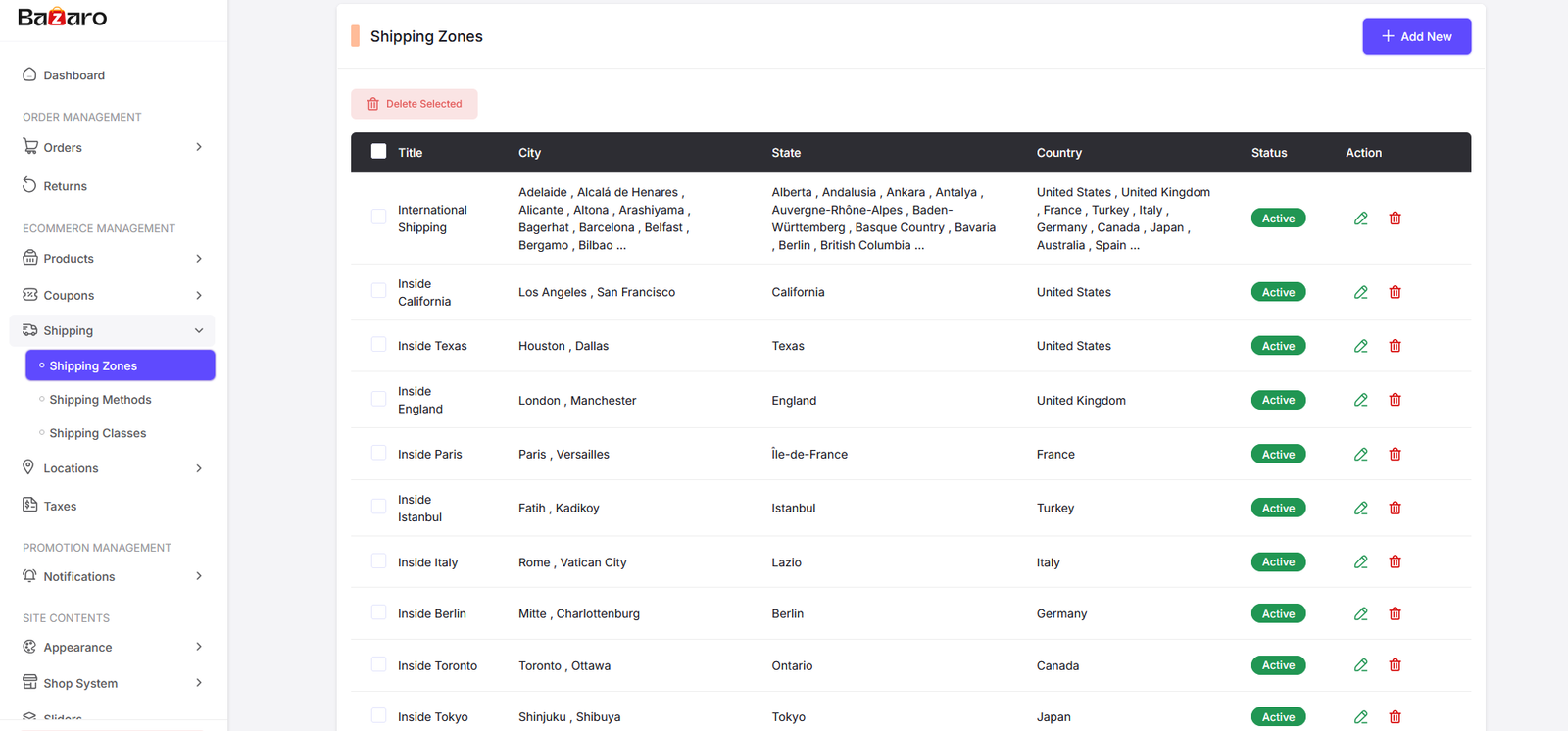
Here you can find all the shipping zones in your E-commerce platform. Click on "Add New" button to add a new shipping zone. Also click on the "Edit" button to edit an existing shipping zone. Click on the "Delete" button to delete a shipping zone. Also you can select multiple shipping zones to delete at once.

Add Shipping Zone page.

Edit Shipping Zone page.
Shipping Methods
Manage the shipping methods available for your E-commerce platform, including adding, editing, and removing shipping methods.

Here you can find all the shipping methods in your E-commerce platform. Click on "Add New" button to add a new shipping method. Also click on the "Edit" button to edit an existing shipping method. Click on the "Delete" button to delete a shipping method. Also you can select multiple shipping methods to delete at once.

Add Shipping Method page.

Edit Shipping Method page.
Shipping Classes
Manage the shipping classes available for your E-commerce platform, including adding, editing, and removing shipping classes.

Here you can find all the shipping classes in your E-commerce platform. Click on "Add New" button to add a new shipping class. Also click on the "Edit" button to edit an existing shipping class. Click on the "Delete" button to delete a shipping class. Also you can select multiple shipping classes to delete at once.

Add Shipping Class page.

Edit Shipping Class page.