

Settings
Configure and customize your E-commerce platform's settings to suit your business needs.
General Settings
You can manage the general settings of your platform here.
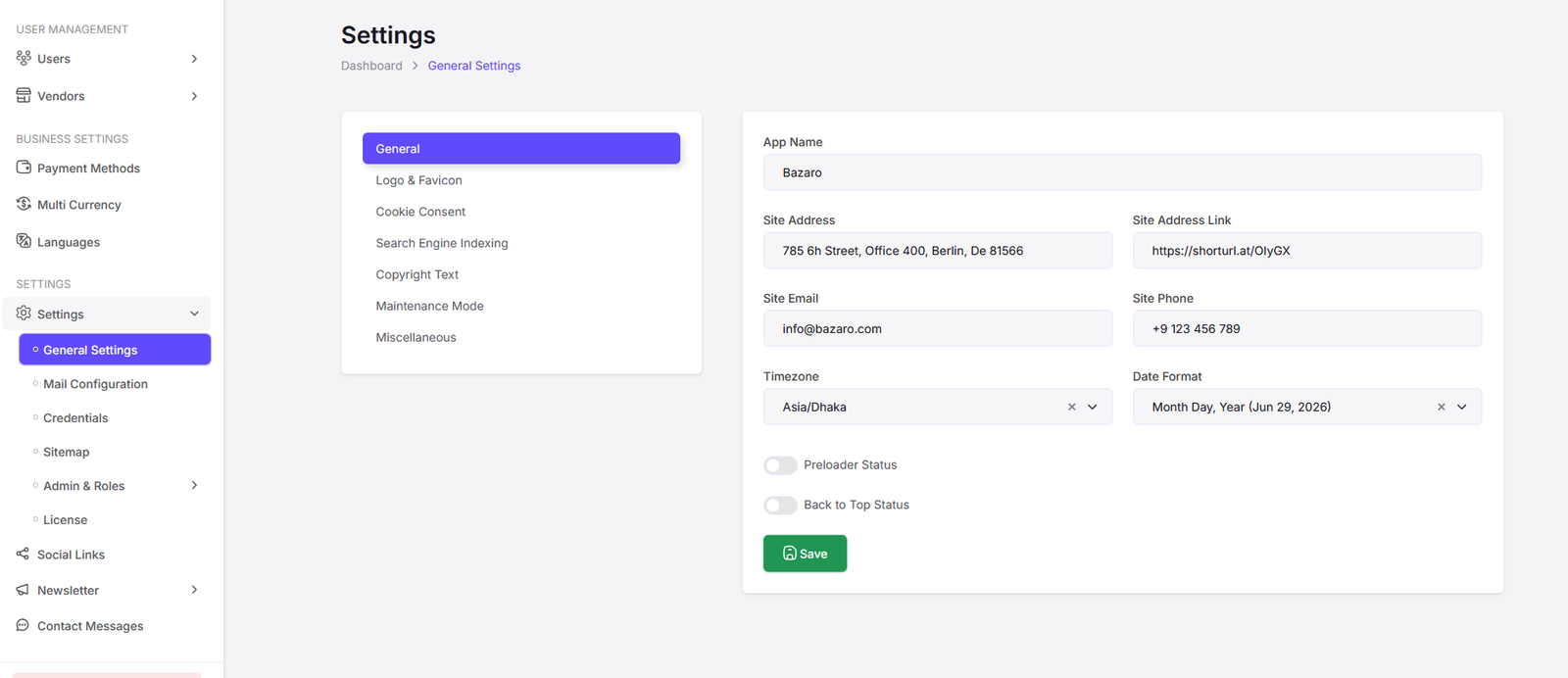
Here you can update app name, site contacts, timezone, date format, preloader status, back to top status. Click on "Save" button to save the changes.

Here you can change site logo and favicon.
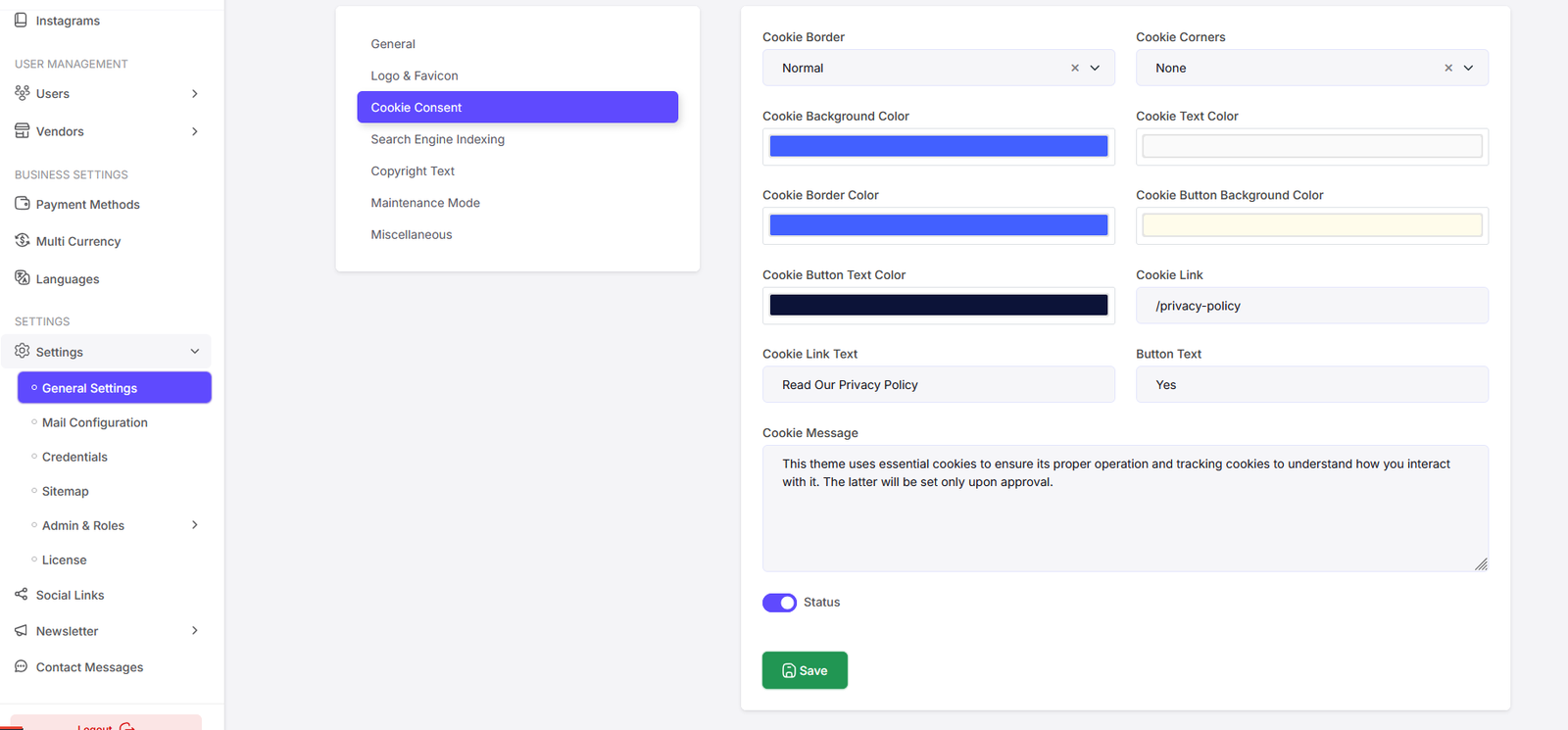
Here you can manage cookie settings.

Update Search Engine Indexing settings.

Update Copyright Text.

Here you can manage Maintenance Mode.
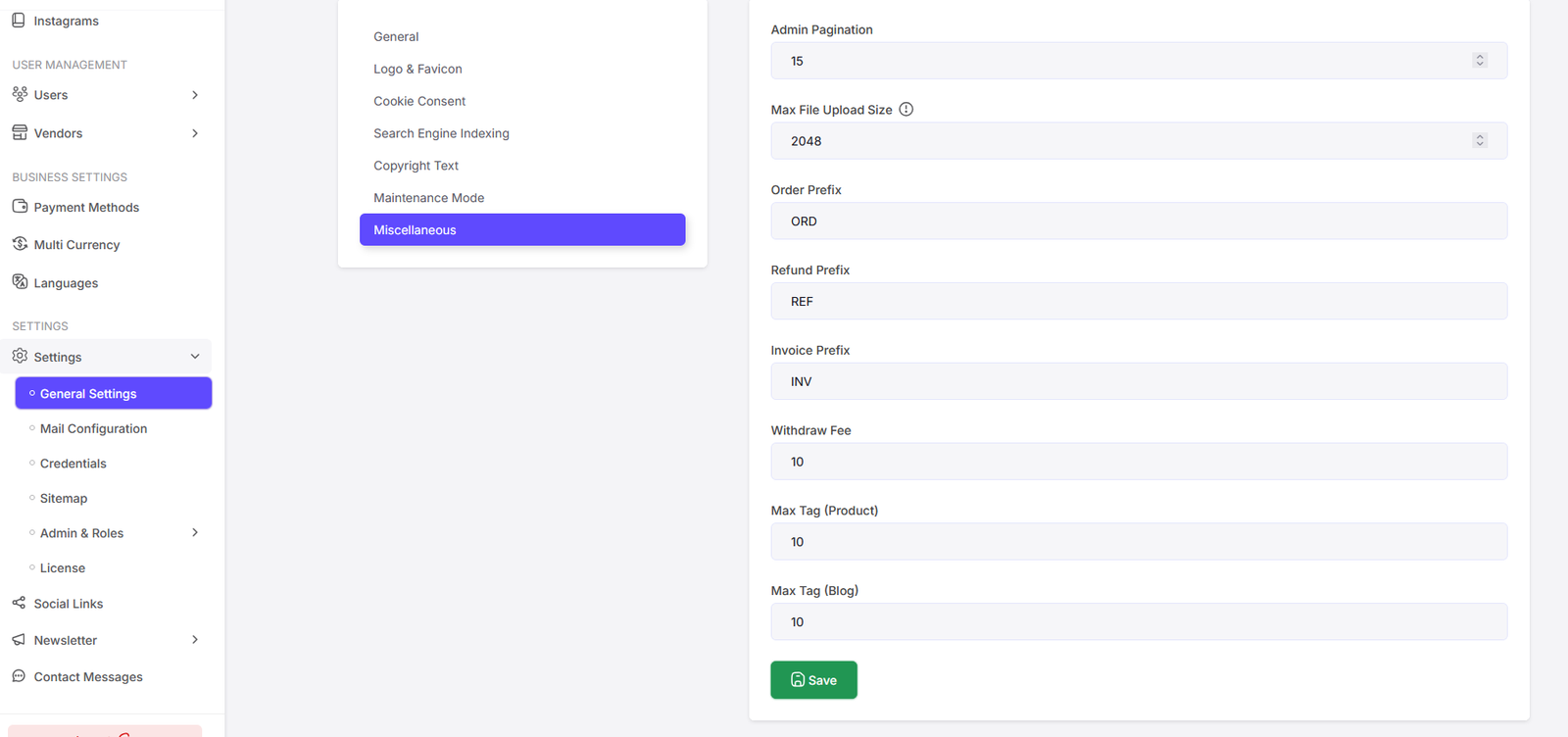
Here you can manage the admin paginations, max file upload size, order prefix, refund prefix, invoice prefix, widthdraw fee, max tag product, max tag blog.
Mail Configuration
You can manage the mail settings of your platform here.

Here you can update mail configuration settings. Click on "Save" button to save the changes.

All the mail templates are listed here. Click on "Edit" button to edit a mail template.

Here you can update mail templates.
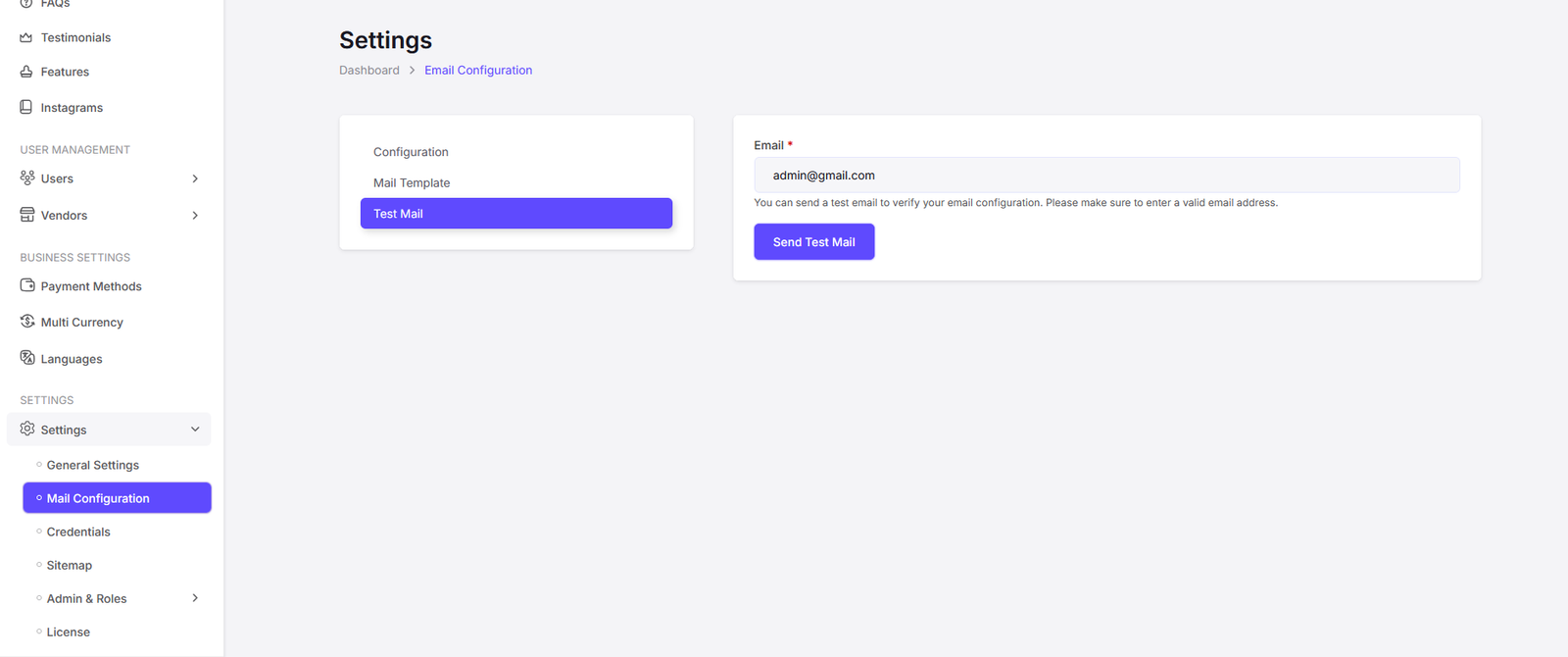
Here you can send a test mail to check if the mail configuration is working properly.
Credentials
You can manage the credentials of your platform here.

Here you can update Google reCAPTCHA.

Here you can update Google Tag Manager.
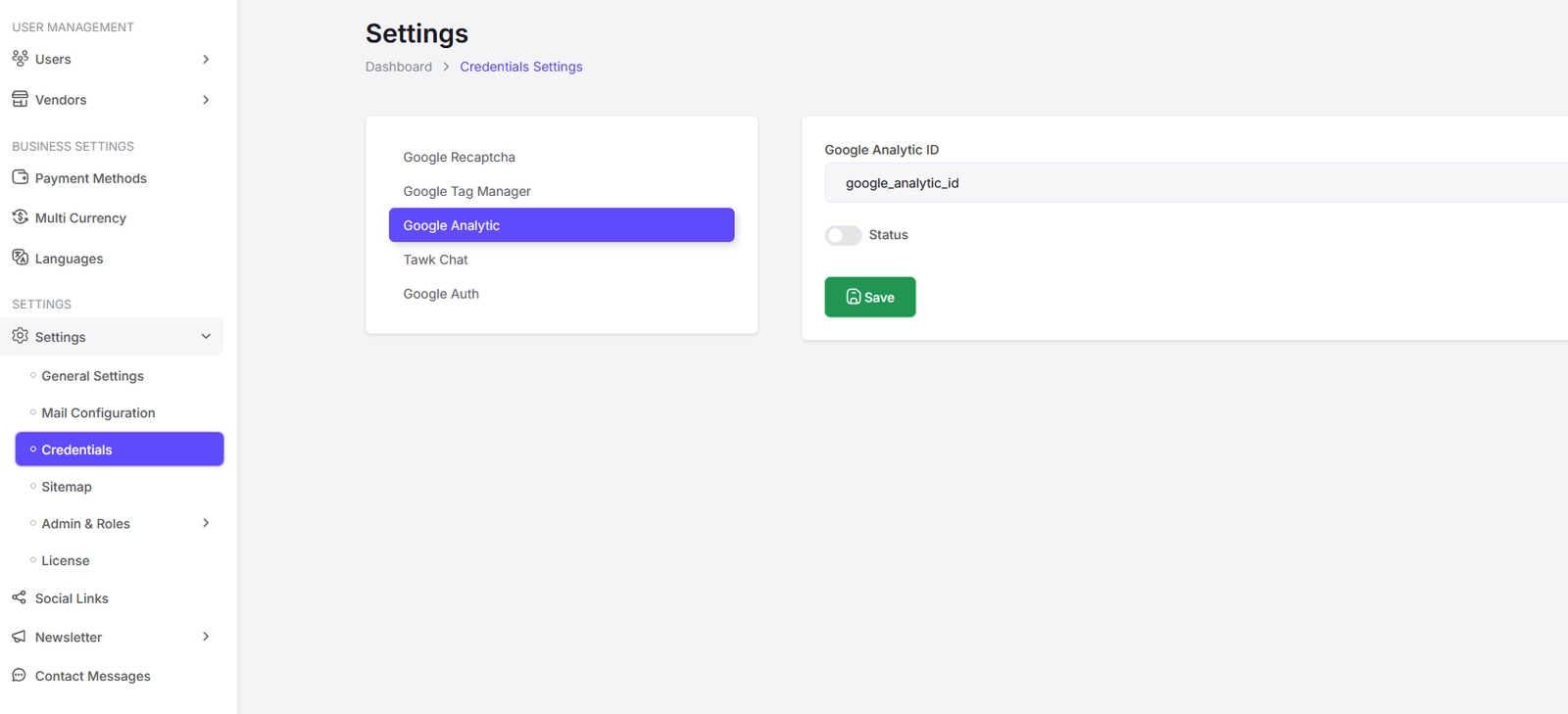
Here you can update Google Analytics.
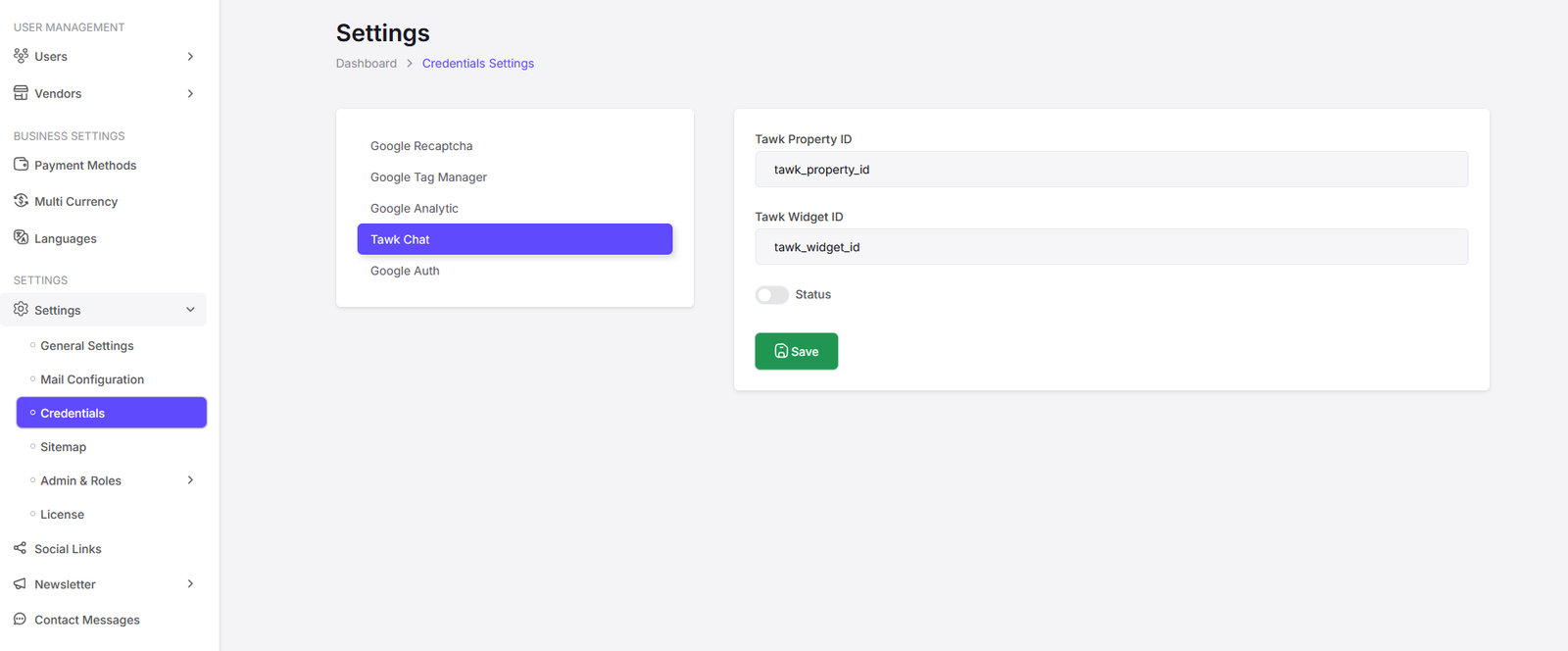
Here you can update Tawk Chat.

Here you can update Google Authentication settings.
Sitemap
You can manage the sitemap of your platform here.

Here you can generate the sitemap of your platform. Click on "Generate Sitemap" button to generate the sitemap.
Roles & Permissions
You can manage the roles and permissions of your platform here.

Here you can manage admins/stuff with roles. Click on "Add New" button to add a new admin/stuff. Also click on the "Edit" button to edit an existing admin/stuff. Click on the "Delete" button to delete an admin/stuff.

Add New Admin/Stuff Page.

Edit Admin/Stuff Page.

Here you can manage roles and permissions. Click on "Add New" button to add a new role. Also click on the "Edit" button to edit an existing role. Click on the "Delete" button to delete a role.

Add Role Page.

Edit Role Page.